

Why a swatch chip never tells the whole story
A laminate sheet is 8 by 4 feet. The chip you flip past in a folder is a few inches. Between those two sizes, everything changes: a marble vein that looks busy on a chip calms down across a full wardrobe; a subtle woodgrain that seems plain in the hand turns rich across six shutters; a colour that matched the folder's white light shifts in your room's warm evening bulb.
That scale gap is why so many surface decisions get second-guessed after installation — and why the standard advice has always been to see a full sheet before committing. Good advice, but it still shows you the sheet in a showroom, not in the room the decision is actually about.
Drawn to scale
What the Artis Visualizer does
The visualizer takes a photo of your actual room and re-surfaces one part of it — the wardrobe, the kitchen cabinets, the TV panel, the mandir backdrop — with any of the 275 designs in the Artis catalogue. You upload the photo on your phone, pick the design, tell us which surface, and in about a minute you get your own room back with the new surface in place, matched to your room's perspective and light.
It is free, it works on any phone browser with no app to install, and every design in the tool is a real sheet you can then source through a distributor — this is the actual catalogue, not concept art.
A real render from the tool
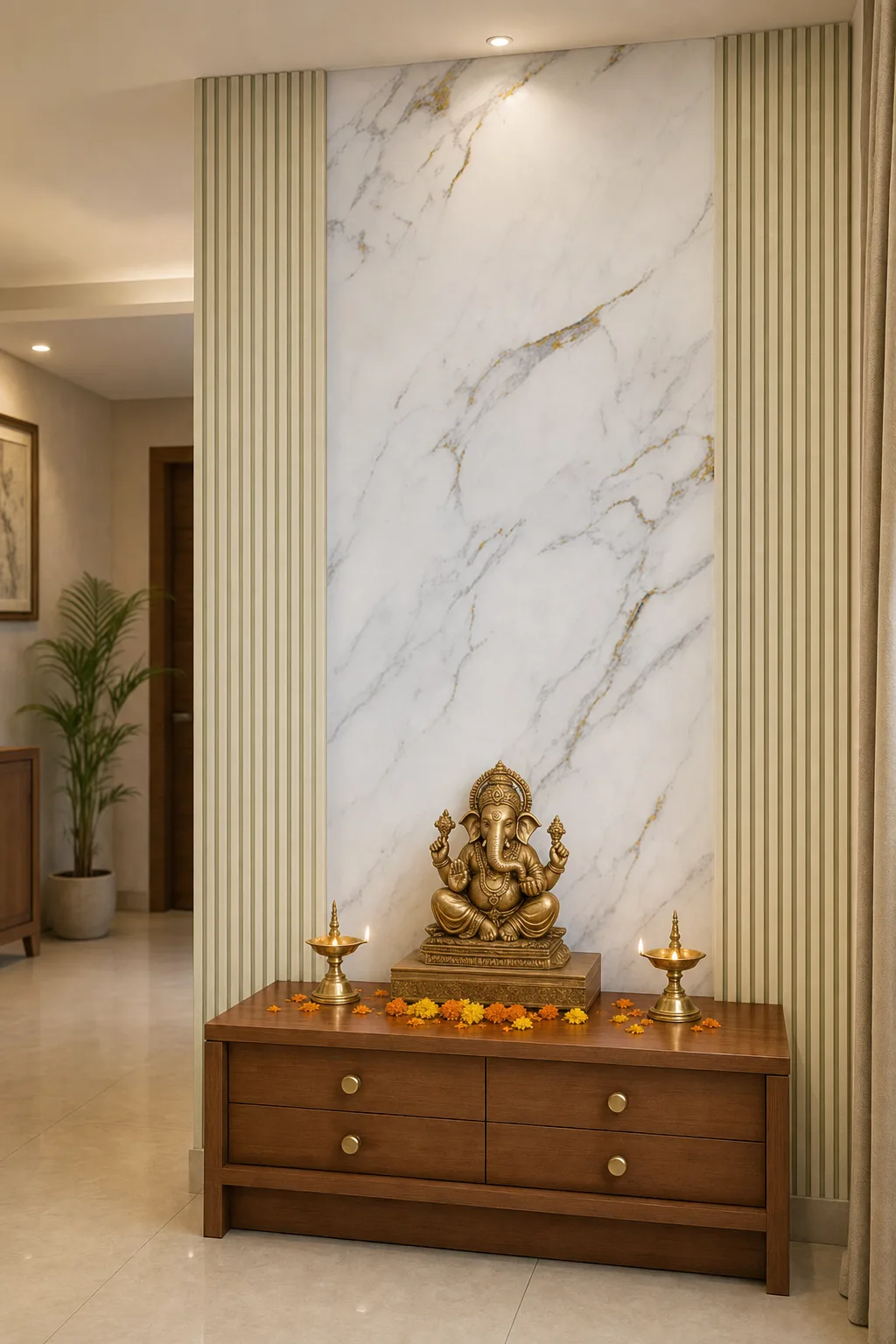
How to shoot a photo that gives a great result
The tool works with ordinary phone photos, but three habits noticeably improve the result. First, shoot the surface as straight-on as you can — a square view of the wardrobe beats a sharp diagonal. Second, light matters: daytime with the curtains open, or the room lights on, beats a dim evening shot. Third, tell the tool exactly which surface you mean — typing “kitchen cabinets” or “mandir back panel” in the surface box aims it precisely instead of leaving it to guess.
One photo tip specific to laminates: include a little of the surrounding room in the frame. The preview convinces when you can see the new surface sitting against your own floor, walls and light — that context is the whole point.
Three habits, better renders
- 01
Shoot it square
Straight-on beats a sharp diagonal — face the surface.
- 02
Let the light in
Daytime, curtains open — or the room lights on.
- 03
Name the surface
Type “kitchen cabinets” or “mandir back panel” — aim it precisely.
A preview, not a proof
Honesty matters here: the render is an AI preview. The pattern and colour are closely matched to the real design, but the image is generated, not photographed — fine veining and texture will not be pixel-identical to the pressed sheet, and every image carries an AI Preview mark for exactly that reason.
So treat it as the shortlisting tool it is. Use it to narrow thirty maybes down to two or three designs that clearly work in your room, then ask your Artis distributor to show you those real sheets. The final call should always be made with the laminate in your hand — the visualizer just makes sure the sheets you ask for are the right ones.
The bottom line
Choosing a surface from a chip is guesswork; choosing it after seeing it on your own wardrobe is judgement. The visualizer costs nothing, needs no app, and takes about a minute per design — so try your shortlist on your actual room before you stand in the showroom. You will walk in asking for the right two sheets instead of the wrong ten.
